How to run ads on Claude Code in 2026
This is the hands-on guide to how to run ads on Claude Code in 2026 — a practical, step-by-step walkthrough for launching your first campaign on the Claude Code spinner using Claude Code Ads. If you want the bigger picture first — why advertising inside AI assistants works and how the channels compare — start with how to run ads on Claude in 2026. Otherwise, let’s launch.
What you’re actually buying
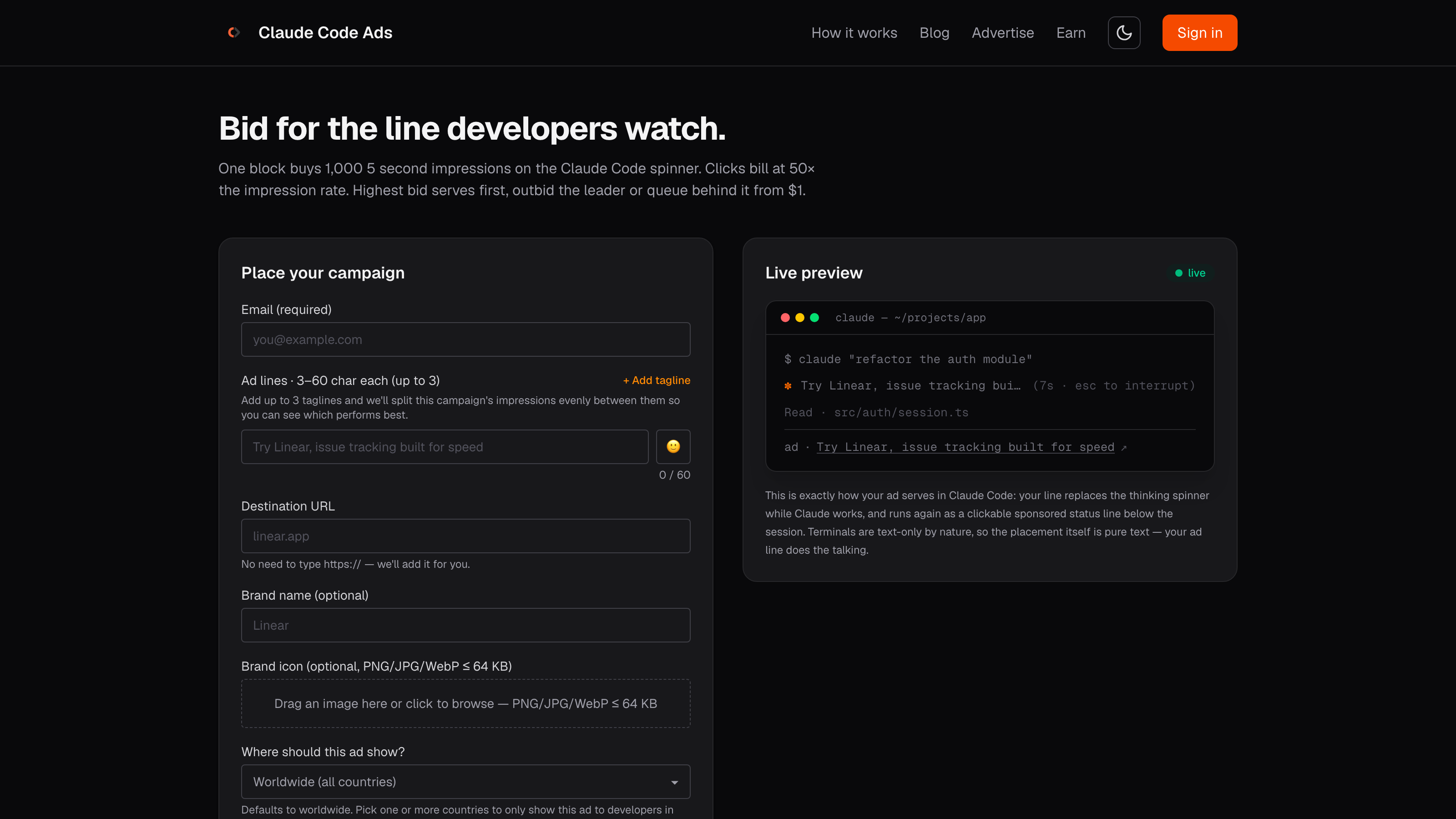
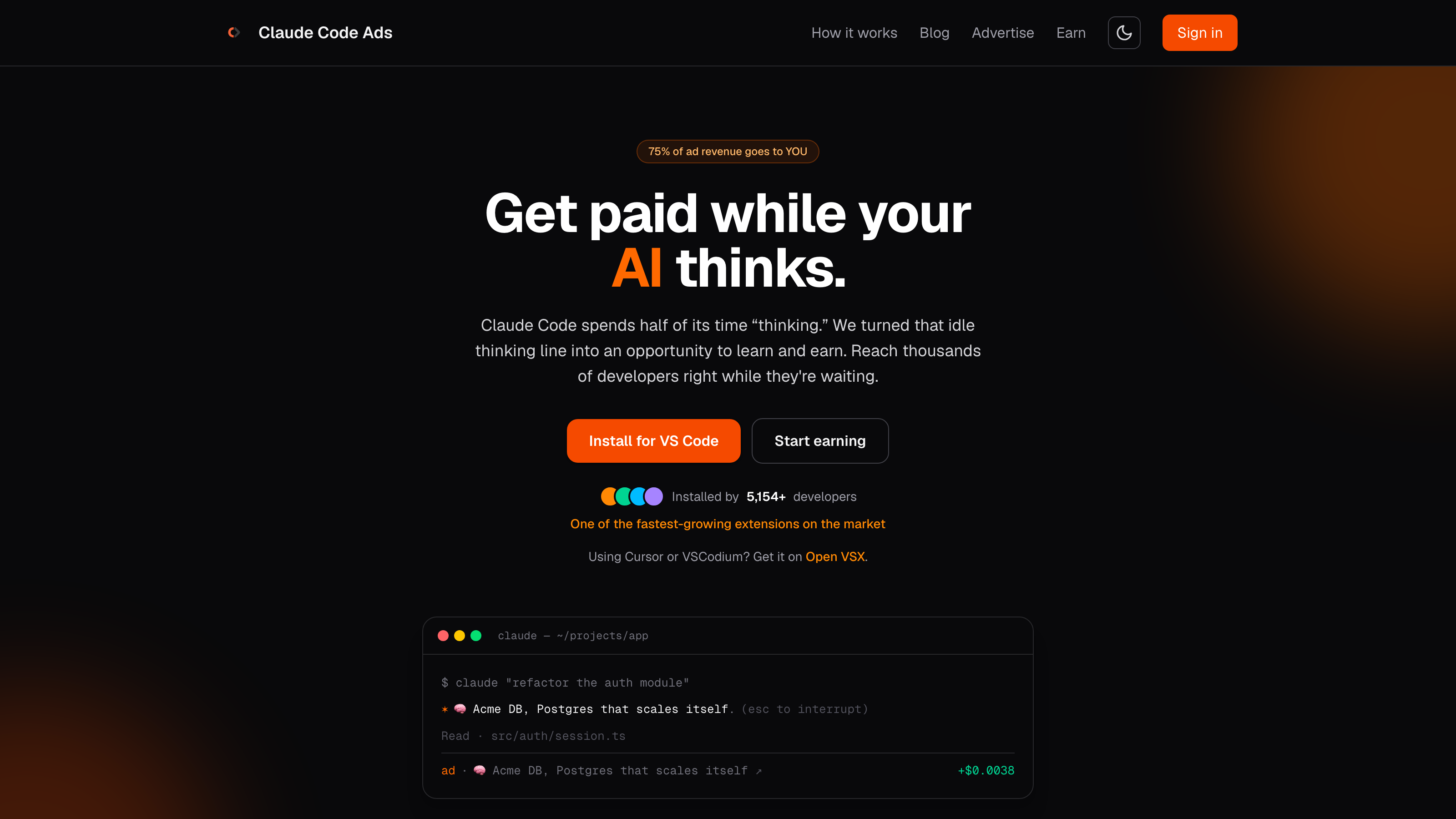
Claude Code Ads places your message on the status line developers watch while their AI works. When Claude is “thinking,” your ad line replaces the throwaway spinner text, then runs again as a clickable sponsored line below the session. It’s pure text — terminals are text-only by nature, so your copy does all the talking.
Inventory is sold as blocks of 1,000 ten-second verified views at a $1 CPM floor. “Verified” is the important word: an impression only counts when a developer actively runs a real CLI or terminal command, so you’re paying for genuine mid-flow attention rather than bot traffic or idle windows.
Before you start
You’ll move faster if you have three things ready:
- A destination URL — ideally a page that pays off for a developer in one click (docs, a free tier, a playground, a install page). You don’t need to type
https://; it’s added for you. - One to three ad lines — each 3–60 characters. Bring a couple of angles so you can test them.
- A starting budget — even a single block ($1 per 1,000 impressions at the floor) is enough to see the placement in action.
Step by step: launch a campaign
1. Write your ad line (and up to three taglines)
Head to the advertise page and enter your email. Then write your ad line — short, specific, and useful. You can add up to three taglines; Claude Code Ads splits the campaign’s impressions evenly between them so you can see which performs best. This is your built-in A/B test, so make the variants genuinely different rather than three phrasings of the same idea.
2. Add your destination URL (and UTM tags)
Enter the link the ad should point to. This is also where you set up attribution: append UTM parameters to your destination URL so clicks land in your own analytics (GA4, Plausible, or whatever you use) already tagged. A simple convention like ?utm_source=claudecodeads&utm_medium=spinner&utm_campaign=launch lets you see exactly how much traffic — and how many signups — the campaign drove, and compare it against your other channels.
3. Add a brand name and icon (optional)
You can add an optional brand name and a small icon (PNG/JPG/WebP up to 64 KB). These are optional, but a recognizable brand can lift click-through when the line is competing for a busy developer’s glance.
4. Choose your audience
Campaigns default to worldwide, but you can pick one or more countries to only show your ad to developers in those markets. If your offer is region-specific — local pricing, a regional launch, language fit — narrowing here means less wasted spend and higher intent per impression.
5. Set your bid and number of blocks
Bids start at $1.00 per 1,000 impressions, and you choose how many blocks to buy. Your bid determines your position in the live auction (more on that below). Buying more blocks simply buys more impressions at your chosen rate — start small to learn, then scale the winners.
6. Check out and go live
Complete checkout and your campaign can be live in about 60 seconds. There’s no account required to launch and no sales calls — you write your ad, set your bid, and go.
7. Sign in and track performance
After payment, sign in with the same email to reach your advertiser dashboard. There you can manage the campaign, edit your ads, and track impressions delivered, real-time CTR, active budget remaining, and your exact position in the live queue — plus per-tagline performance so you know which line to keep.
How the auction and queue work
Claude Code Ads runs a live open auction, and the mechanic is simple: the highest bid serves first. If the current top bid is $5.00 per 1,000 impressions, bidding $5.01 puts you at the absolute front of the line. Bid lower and your ad waits in the queue, delivering automatically as higher bids exhaust their blocks.
Clicks matter too. On this network, clicks bill at 50× the impression rate — a signal that the line earned genuine developer interest — so writing copy people actually want to click is both good marketing and good economics.
Practical tip: because the marketplace is still growing, the auction can clear below what incumbent developer channels charge. Early campaigns often win premium, mid-flow views for less — but auction prices move with demand, so treat it as a “right now” advantage.
Verified views and moderation keep quality high
Two safeguards protect both sides of the marketplace. Verified views mean impressions only count during active, human-initiated Claude Code commands, so your budget isn’t drained by bots or idle sessions. And AI moderation screens every ad line and link before it enters the live auction queue, keeping the surface clean and trustworthy — which is exactly why developers leave the ads on.
Writing ad lines that convert
You have 3–60 characters and a captive but skeptical audience. What works:
| Do | Avoid |
|---|---|
| Lead with the concrete value: “Postgres that scales itself” | Vague slogans: “Rethink your workflow” |
| Name the tool or category a dev recognizes | Buzzwords with no payload |
| Point to something actionable (docs, free tier, playground) | A generic homepage with no next step |
| Test 2–3 distinct angles via taglines | Three rephrasings of one idea |
Remember the reader is a developer mid-task. Respect that: be specific, be honest, and make the click obviously worth it.
Tracking and attribution
Between the advertiser dashboard (impressions, CTR, budget, queue position, per-tagline results) and UTM parameters on your destination URL, you can close the loop from impression to signup. Watch CTR by tagline in the portal to decide what to keep, and watch your own analytics to measure what those clicks are worth downstream. Kill the weak lines, pour budget into the winners, and adjust your bid to hold the position you want.
Go live
That’s the whole loop: write a line, set a bid, go live in 60 seconds, and optimize from the portal. Ready? Launch your first campaign now. If you’re a developer who’d rather earn from this line than buy it, start earning 75% of ad revenue while Claude thinks. And for the strategic view of the whole landscape, read how to run ads on Claude in 2026 or browse the Claude Code Ads blog.